
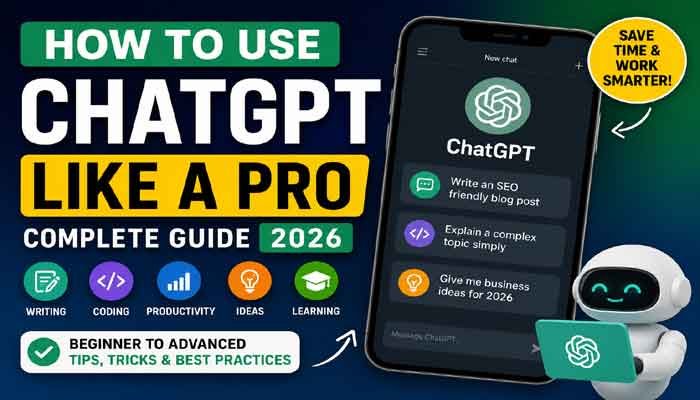
How to Use ChatGPT
Artificial Intelligence has transformed the way people work, learn, and create content. Among all AI tools available today, ChatGPT has become one of the most popular assistants for students, professionals, businesses, bloggers, developers, and content creators.
Whether you want to write articles, solve programming problems, generate marketing ideas, learn new skills, or simply save time, ChatGPT can help you complete tasks much faster.
This guide explains everything beginners and advanced users need to know about using ChatGPT effectively.
What is ChatGPT?
ChatGPT is an AI-powered conversational assistant that understands natural language and provides human-like responses. Instead of searching multiple websites for information, you can simply ask ChatGPT a question and receive detailed answers, explanations, ideas, or even complete documents within seconds.
People use ChatGPT for:
Writing blog posts
Creating emails
Coding assistance
Homework help
Business planning
Marketing content
Social media captions
Image prompt creation
Research summaries
Learning new topics
Getting Started with ChatGPT
Using ChatGPT is simple.
Step 1
Create or log into your ChatGPT account.
Step 2
Start a new conversation.
Step 3
Describe exactly what you need.
Instead of asking:
Write about smartphones.
Ask:
Write a 1,500-word SEO-friendly article about the best smartphones launching in 2026 with headings, FAQs, and meta description.
The more details you provide, the better the results.
Write Better Prompts
Your prompt determines the quality of the answer.
Instead of saying:
Explain SEO.
Try:
Explain SEO for beginners using simple English with real examples and a step-by-step strategy.
Specific prompts produce more accurate and useful responses.
Best Ways to Use ChatGPT
1. Content Writing
Generate:
Blog posts
News articles
Product descriptions
Press releases
Reviews
Website content
2. SEO Optimization
ChatGPT can help create:
SEO Titles
Meta Descriptions
Focus Keywords
URL Slugs
FAQ Sections
Internal Linking Ideas
Image Alt Text
Image Titles
3. Coding Help
Developers use ChatGPT to:
Write code
Debug errors
Learn programming languages
Explain functions
Optimize scripts
4. Learning
Students can ask ChatGPT to explain:
Science
Mathematics
History
Business
Technology
Languages
It can also simplify difficult concepts into easy-to-understand explanations.
5. Business Productivity
Businesses use ChatGPT for:
Customer support templates
Marketing campaigns
Email writing
Meeting summaries
Business proposals
Product ideas
Tips for Better Results
Be Specific
Include:
Length
Tone
Audience
Format
Language
Example:
Write a professional LinkedIn post of 300 words for software developers.
Ask Follow-Up Questions
Don’t stop after one answer.
You can continue by asking:
Make it shorter
Add examples
Improve SEO
Rewrite professionally
Translate into Urdu
Create FAQs
Use ChatGPT as a Brainstorming Partner
Need ideas?
Ask for:
YouTube video ideas
Business names
Startup concepts
Blog topics
Marketing slogans
Common Mistakes to Avoid
Many beginners make these mistakes:
Asking vague questions
Expecting perfect answers every time
Not checking facts
Ignoring prompt quality
Copy-pasting without editing
Always review AI-generated content before publishing.
Can ChatGPT Replace Google?
Not completely.
Google is excellent for finding current news, official websites, and recent information.
ChatGPT is better for:
Explaining concepts
Creating content
Brainstorming
Writing
Learning
Productivity
Many professionals use both together for the best results.
Final Thoughts
ChatGPT is much more than a chatbot. It is a powerful AI assistant that can help with writing, learning, coding, business, research, and creativity. The key to getting outstanding results is asking clear questions, providing detailed instructions, and refining responses through follow-up prompts.
As AI technology continues to evolve, learning how to use ChatGPT effectively will become an essential digital skill for students, professionals, entrepreneurs, and creators alike.
Frequently Asked Questions
Is ChatGPT free?
Yes, ChatGPT offers a free version, while paid plans provide access to more advanced models and additional features.
Can ChatGPT write SEO articles?
Yes. It can generate SEO-friendly articles with headings, keywords, meta descriptions, FAQs, and optimized structure.
Can ChatGPT help programmers?
Absolutely. It can write code, explain programming concepts, find bugs, and improve existing code.
Is ChatGPT useful for students?
Yes. Students can use it for learning, research, writing, summarizing, and exam preparation.